Data Cabling vs WiFi Home Office: Smart 2026 Comparison
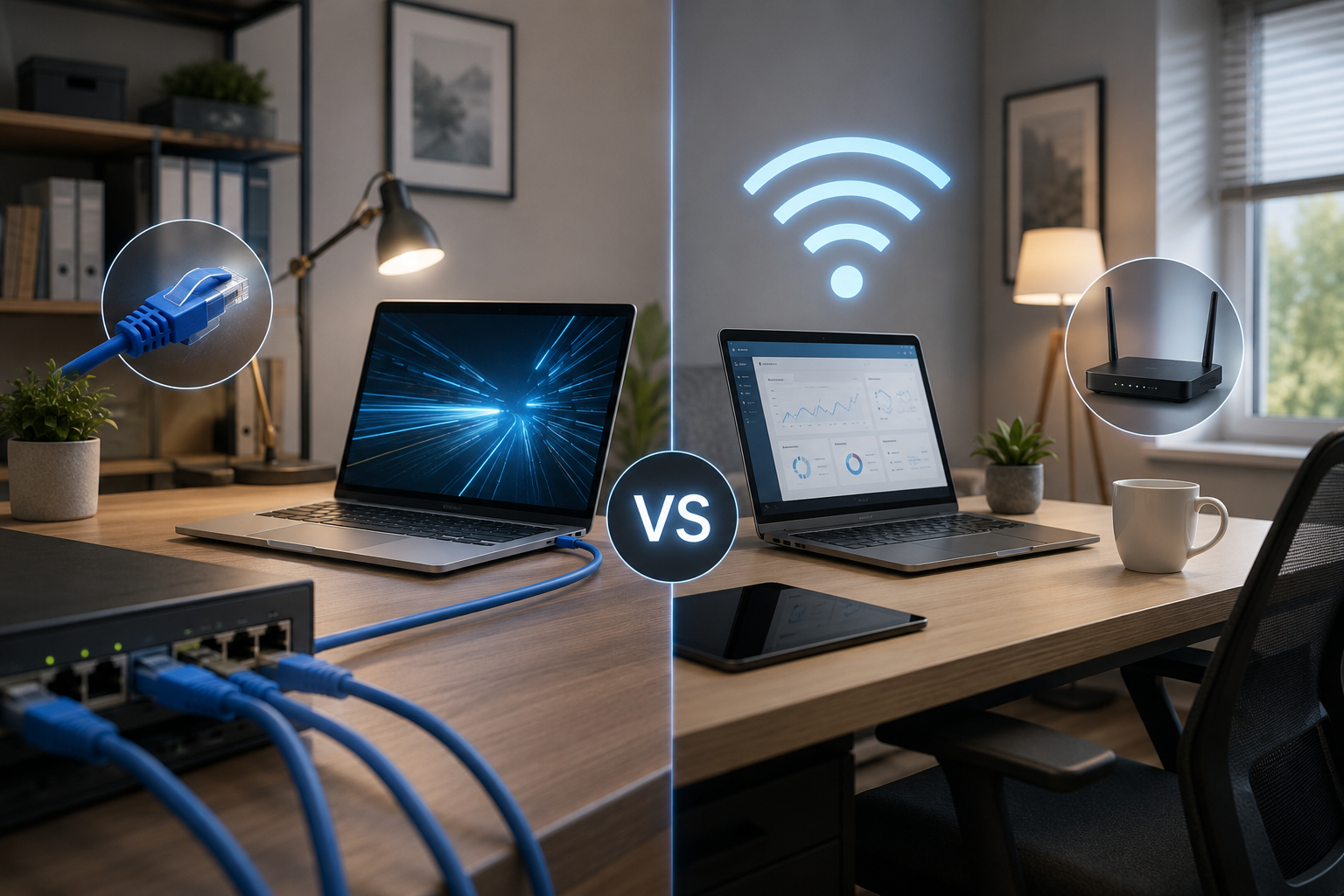
With more Wellingtonians working from home, the data cabling vs WiFi home office question comes up constantly when setting up a proper workspace. Both have their place, but for consistent video calls,…
With more Wellingtonians working from home, the data cabling vs WiFi home office question comes up constantly when setting up a proper workspace. Both have their place, but for consistent video calls, fast file transfers, and reliable connections, the right choice depends heavily on your specific setup, your home’s layout, and how you actually use your office day to day.
Data Cabling vs WiFi Home Office: The Short Answer
For a dedicated home office, wired data cabling generally outperforms WiFi in speed, stability, and security when it comes to the data cabling vs WiFi home office debate. WiFi is more convenient and fine for casual use, but it’s more prone to interference, drop-outs, and speed loss the further you are from the router — a genuinely common issue in Wellington’s denser suburbs and older multi-storey homes.
Data Cabling vs WiFi Home Office: Speed and Reliability
Wired ethernet connections consistently deliver the full speed of your internet plan with minimal fluctuation, which is the core of the data cabling vs WiFi home office speed debate. WiFi speeds can vary significantly based on distance from the router, wall materials, and interference from neighbouring networks. Chorus, which manages much of New Zealand’s broadband infrastructure, notes that in-home WiFi performance is frequently the actual bottleneck for households experiencing slow speeds, even when the incoming broadband connection itself is fast.
For video calls, cloud backups, and large file uploads, a wired connection avoids the frustrating drop-outs that come with a shaky WiFi signal — something anyone who’s had a client call freeze mid-sentence will already appreciate.
Data Cabling vs WiFi Home Office: Security
A wired connection is inherently more secure because it can’t be intercepted from outside your property the way WiFi signals sometimes can be. For home offices handling client data, financial information, or business files, this is a genuine consideration — not just a technical preference. Consumer NZ has previously highlighted that home network security is an area many households overlook, and a wired connection removes one entire category of that risk for your most sensitive work traffic.
Data Cabling vs WiFi Home Office: Cost
WiFi has no additional setup cost if you already have a router. Structured data cabling requires an upfront installation cost, typically involving running a cable from your router, or a central network point, directly to your office space.
However, this is usually a one-off cost, and many Wellington homeowners find it pays for itself in avoided frustration, fewer dropped calls, and better resale value for a home with proper network infrastructure already in place — something increasingly noted by buyers setting up their own remote work arrangements.
Data Cabling vs WiFi: Home Layout Considerations
Older Wellington homes with plaster walls, weatherboard construction, or multiple levels often see the biggest WiFi signal loss. If your office is upstairs, in a converted garage, or at the far end of the house from your router, a dedicated data cable will almost always outperform WiFi in that specific location, regardless of how good your router is.
This is also where TV and entertainment setups intersect with office planning — the same “check the wall type first” principle applies just as much to running data cables through a home as it does to fixing a bracket into it.
When WiFi Is a Reasonable Choice
- Casual work near the router, in the same room or an adjoining room
- Light browsing, email, and non-video-heavy tasks
- Temporary setups or rental properties where permanent cabling isn’t practical
- Secondary devices like phones, tablets, or a printer that don’t need guaranteed bandwidth
When Data Cabling Makes More Sense
- Daily video calls or client meetings where drop-outs are genuinely costly
- Large file uploads or downloads for work, such as design files or video content
- A dedicated, permanent home office setup you plan to use long-term
- Multiple devices needing consistent bandwidth at once — monitor, laptop, printer, VoIP phone
- Any work involving sensitive client, financial, or business data
The Hybrid Data Cabling vs WiFi Home Office Approach
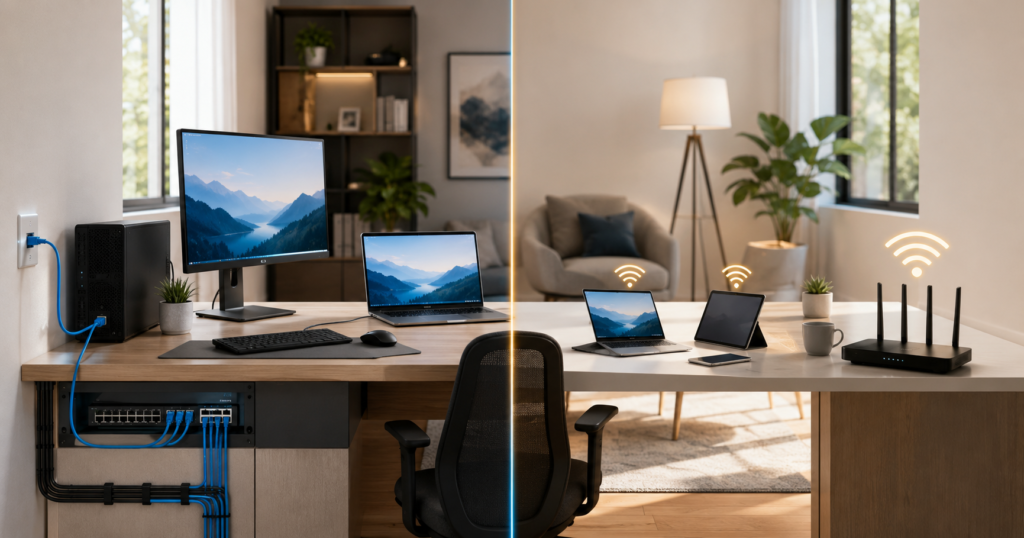
Most Wellington home offices don’t need to choose one option entirely over the other. A common setup is running a single data cable to the office desk for the main workstation, while keeping WiFi for secondary devices like phones, tablets, or printers. This gives reliability exactly where it matters most, without needing to rewire the entire house.
For businesses rather than single home offices, this same logic scales up considerably — planning this properly across a whole office rather than a single desk follows the same underlying approach.
Getting Data Cabling Installed Without Major Disruption
Structured cabling doesn’t have to mean visible cables running across floors and up walls. Cables can typically be run through existing wall cavities, ceiling spaces, or under floors, ending in a clean wall point at your desk — similar in principle to how phone jacks were traditionally installed in older homes, just built for modern network speeds.
A professional installer will typically assess your roof space, subfloor access, and wall cavities before quoting, since this determines both the cost and how minimally invasive the install can be.
Mesh WiFi vs a Cabled Access Point
Some households try to solve WiFi weak spots with a mesh system instead of running a cable. Mesh networks genuinely help extend coverage compared to a single router, but each mesh node still needs a strong backhaul connection to perform well — and that backhaul is either wireless (which reintroduces some of the same interference issues) or wired, in which case you’ve effectively arrived back at needing a data cable anyway, just to a mesh node instead of directly to your desk. For a single fixed home office, running one cable straight to the workstation is usually simpler and more reliable than adding mesh hardware to work around a WiFi weak spot.
What a Typical Home Office Cabling Job Involves
A standard single-point installation usually follows a similar pattern: the installer identifies the shortest practical route from your router or a central network point to the office, checking roof space, subfloor access, or wall cavities along the way. A cable is then run through this path, terminated at a wall plate near your desk, and tested to confirm full speed before the job is signed off. Where a direct route isn’t available, cables can sometimes be run externally along eaves and re-entered at a more convenient point, avoiding the need to cut through multiple internal walls.
Planning for More Than One Device
If your home office setup includes a desktop computer, a separate monitor with smart features, a printer, and a VoIP desk phone, it’s worth considering a small network switch at the desk rather than trying to run a separate cable for every device. A single cable to the room feeding a compact switch is often more practical and just as reliable as multiple individual runs, while keeping installation costs lower.
Key Takeaways
- In the data cabling vs WiFi home office decision, wired cabling wins on speed, reliability, and security for serious daily use.
- WiFi is fine for light, casual use near the router, but degrades with distance and interference.
- A hybrid setup — one cabled desk connection plus WiFi for everything else — suits most households.
- Older or multi-storey Wellington homes see the biggest WiFi performance drop-off.
- Cabling can usually be run with minimal wall disruption using existing cavities and ceiling space.
Frequently Asked Questions
Is data cabling worth it for just one home office?
Yes, if you rely on video calls or handle larger files regularly — a single cable run to one office is a relatively small job with a noticeable difference in reliability.
Will data cabling increase my home’s value?
Structured cabling is increasingly seen as a desirable feature, especially as remote and hybrid work becomes a more permanent arrangement for many households.
Can data cabling be added without major wall damage?
In most cases yes — cables are routed through existing cavities and ceiling spaces, with only small, easily patchable access points needed.
Is WiFi 6 fast enough to replace wired cabling?
WiFi 6 has improved speed and capacity over older standards, but it still can’t match the consistency of a wired connection, especially in homes with thick walls or multiple levels.
Do I need a full structured cabling system for just one home office point?
No — a single point install is common and doesn’t require the full multi-point setup a business or larger home might need.
How long does a home office cabling install usually take?
A single cable run to one office typically takes a few hours, depending on the distance from the router and how accessible the wall or ceiling cavities are.
Want a reliable connection for your home office? Book a structured cabling assessment with S-Tech Services in Wellington and get a wired setup that won’t drop out mid-call.
Related Posts